.png)
Video editing software for beginners
VEGAS Movie Studio 15 allows you to add scenes and images into a production timeline and then edit them to create a single movie file. You may add your own soundtrack, you may edit the already-present soundtrack, or you may create an original score with their music-maker function.
Top Recommended Alternative

Tools for editing movie files and creating picture slideshows
VEGAS Movie Studio 15 allows you to knit together your photo images in order to make a movie file. You may stitch together your images and add music, and you may add movie files too in order to create a little variety. You may add audio and/or edit the already-existing audio on your movies. The editor gives you a timeline in the same way that many movie editors give you a frame-by-frame timeline, and you may add images/movie-files the same way you would add movie clips to a movie editor. You decide how long the image or movie clip stays on the screen, and you decide what audio track is playing as each image appears, remains and disappears. The multimedia movie you create may be produced at up to high-def 4K, and you may crop your movies frame-by-frame as if they too were photo images. There are numerous special effects, which includes different transitions for getting from one scene to the next. You may add audio files, you may edit the audio that is already on the movie, and you may create your own soundtrack from scratch with their sound-studio (music maker) function. There is an interactive how-to section, and this program supports many generations of the NVIDIA graphics card, and one of the benefits of that is that rendering and production times are faster.
Similar to what you see on YouTube or Microsoft Movie Maker
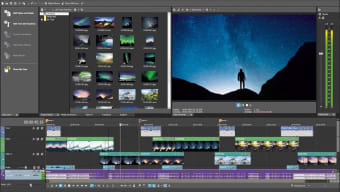
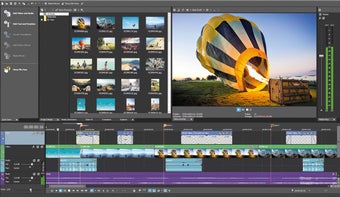
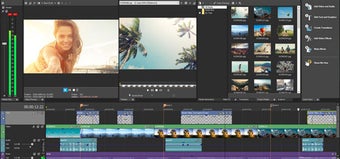
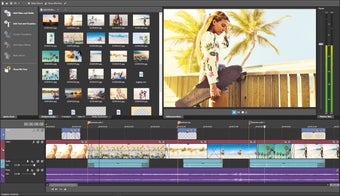
VEGAS Movie Studio 15 has a black and grey colour scheme that is supposed to highlight and frame the colour in your movies and images as you edit and add them. The user interface and its publishing functions are similar to the YouTube publishing and editing functions except that this program has more tools that offer more customization. The way you add images and movies, and the way you splice and manipulate the timeline is very similar to Microsoft Movie maker, which is handy for people who prefer the drag-and-drop method for movie-timeline editing. This multimedia program allows you the preview your timeline as a smaller image-based timeline at the bottom, and via a large preview screen in the top right. Just like Microsoft Movie Maker, the audio track is on a separate timeline, but you can see where each musical section will play by how it lines up with your movie timeline.
Suitable for hobbyists and people who want quick results
The program created by Magix, was built for people who desire quick results with a broad finish for their movie files where deeper editing and photoshopping is not required. It is also for people who wish to create slideshows that feature their favourite images and movie clips. Thanks to its compatibility with NVIDIA graphics cards, you do not need a high-end computer in order to render quick results. It works in a very similar way to Microsoft Movie Maker, which is why it is also suitable for people wishing to make quick edits to movies that do not need lots of polish or customization. It does render and publish faster than the Microsoft version, and there are integrated publishing functions for YouTube, Vimeo and Facebook. The finished movie-image quality is as good as you make it because this program doesn't limit you to lower resolutions, but it will not suit intermediate and advanced video editors; it is more suited to hobbyists, to people wanting quick results, people who do not own high-spec computers, and people wanting to post slideshows on social media.